
3D Configurator
If your product has variants, one photo sells too little
A catalogue photo shows one version. Your customers ask about the other colour, the longer frame, the accessory – and you explain it on the phone. A configurator shows it: rotatable, in real time, right in the browser.
Example
A cargo bike that explains itself as you scroll
Colour, build and dimensions change as the visitor moves down the page. Not a video, not a still – a real 3D model rendered in the browser. Try it; that is faster than describing it.
See the example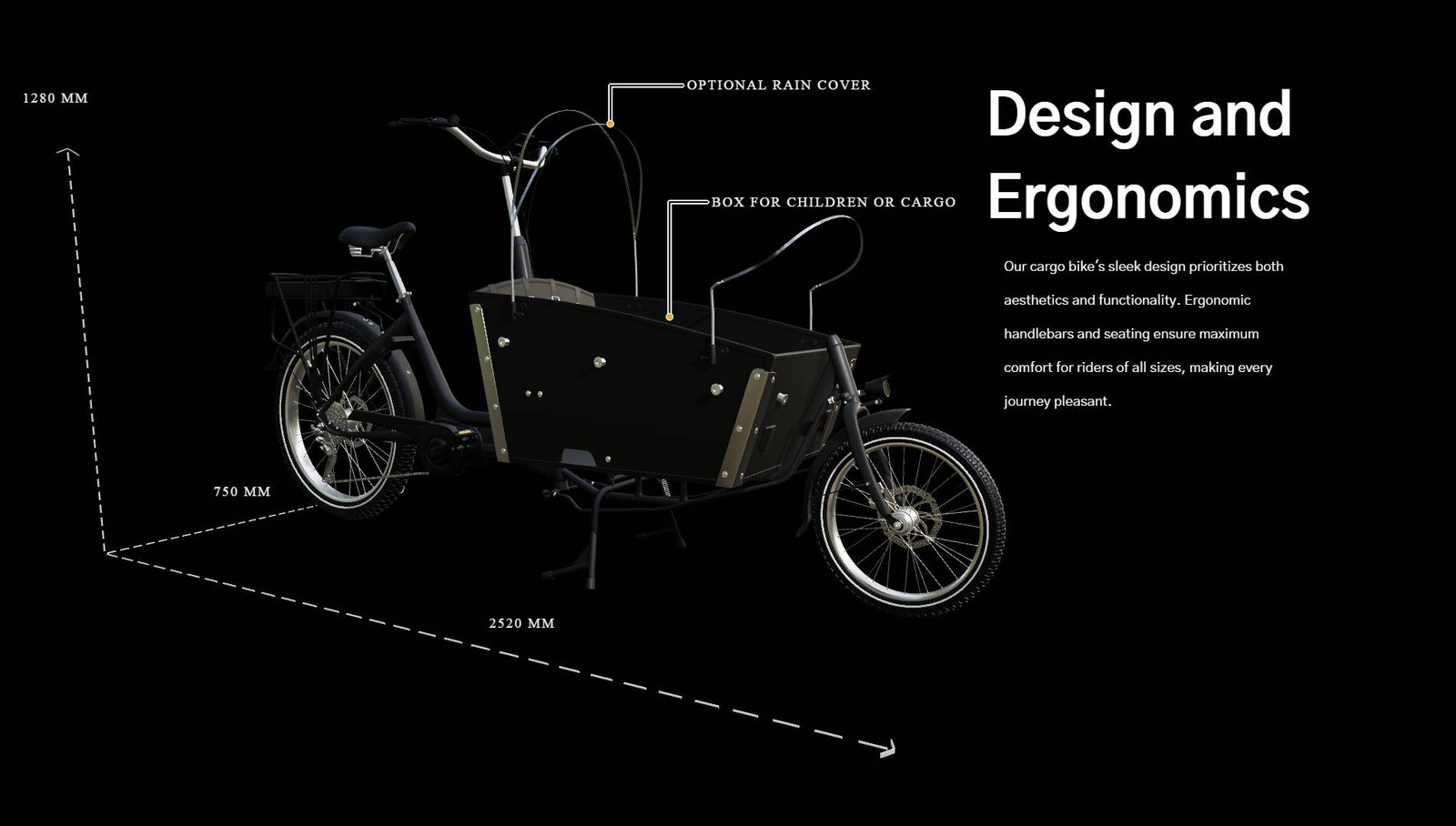
When it pays off
Not every product needs a configurator. These three traits almost always decide:
There are variants
Colours, sizes, builds, accessories. The more combinations, the less a catalogue does – and the more time goes into answering questions.
The decision is visual
People who need to see how something looks or fits do not decide from a table. Furniture, vehicles, machines, equipment.
The material already exists
CAD data from engineering, renderings from marketing, brochure images. In most companies the basis is already there – just in the wrong format.
How a project runs
Four steps, usually four to eight weeks.
- 01
Review the data
What exists? CAD, renderings, photos. We establish what is usable and what has to be rebuilt – before anyone writes a quote.
- 02
Prepare the model
CAD data is made for manufacturing, not for browsers. It gets reduced, given materials and optimised for load time.
- 03
Build the configurator
Variants, controls, behaviour on a phone. You see a working version early, not a result at the end.
- 04
Integrate
Into your existing website – WordPress, Webflow, Shopware or whatever you use. No separate portal, no second address.
What you need
Less than most people expect. Usually what is already in the house is enough:
- CAD data in a common format (STEP, IGES, SolidWorks, Inventor) – or good photos if there is none
- A list of the variants that should be configurable
- Access to the website, or someone who can paste an embed snippet
Common questions
Does it work on a phone?
Yes, and that is the test. A configurator that only runs smoothly on desktop is not one – half your visitors arrive on a phone. So it is tested there from the start, not at the end.
Do our customers have to install anything?
No. It runs in the browser like a normal website. No plugin, no app, no account.
What if we have no CAD data?
Then the model gets rebuilt. That takes longer than preparing existing data, but it works – based on photos, dimensions and technical drawings.
How long does it take to load?
With proper preparation, one to three seconds on a normal mobile connection. The difference between a fast and a sluggish configurator lies almost entirely in preparing the model, not in the technology behind it.
Would this suit your product?
Send me what you have – a product photo is enough to start. You get an honest assessment of whether a configurator is worth it, even if the answer is no.
Ask without obligation